
Download SkipScreen – Bypass Waiting Screens, Free Firefox Add‑on for Faster Downloads
Overview
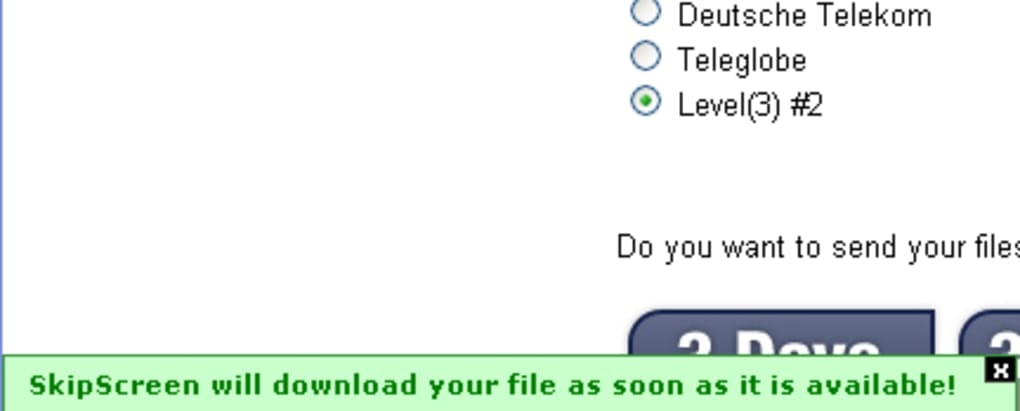
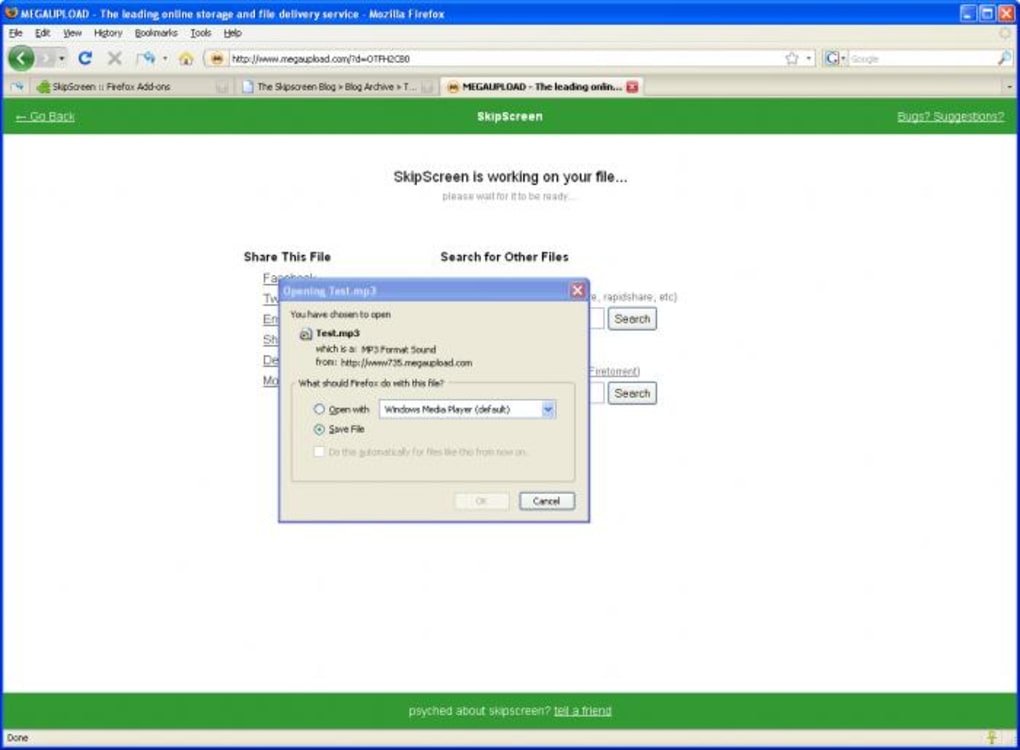
SkipScreen is a lightweight Firefox add‑on designed to eliminate the tedious countdown timers that dominate many popular file‑sharing portals such as Rapidshare, Megaupload, Depositfiles, zShare and Sharebee. When you land on a “please wait” page, the add‑on automatically detects the timer, skips it, and triggers the download as soon as the site is ready. The result is a seamless, almost invisible experience – the waiting message flashes briefly, disappears, and your file begins downloading without any extra clicks.
SkipScreen works with both free and premium accounts, and it even handles the occasional verification code on Megaupload, requiring only a single manual entry before the automation takes over. The tool is continuously updated; recent releases added support for Uploading.com, FilesTube, 4Share, MediaFire and other emerging services. By integrating directly into Firefox, SkipScreen stays out of your way until a supported download page appears, making it an ideal companion for power users who rely on file‑sharing sites for personal or professional projects.
Key Features
- Automatic countdown detection and bypass for supported file‑sharing sites.
- One‑click download initiation after the timer is skipped.
- Support for Rapidshare, Megaupload, Depositfiles, zShare, Sharebee, Uploading.com, FilesTube, 4Share, MediaFire and more.
- Minimal UI footprint – runs silently in the background.
- Frequent updates to keep pace with new site layouts and anti‑bot measures.
- Free to download and use, with optional donations for the developer.
- Secure codebase: no data collection, only local script execution.
- Compatibility with the latest Firefox releases (Quantum and later).
- Easy toggle – enable or disable per site via the add‑on manager.
- Open‑source components for community‑driven improvements.
Installation & Usage Instructions
Getting SkipScreen up and running is straightforward. First, ensure you are using a recent version of Firefox (version 78 or newer) to guarantee full compatibility with the add‑on’s API. Open the Firefox Add‑ons Manager by clicking the menu button (☰) → “Add‑ons and Themes” → “Extensions,” or simply type about:addons in the address bar.
In the search field, type “SkipScreen” and click the “Add to Firefox” button next to the official listing. Firefox will prompt you to confirm the installation; click “Add” and then “Okay” when the permission dialog appears. The add‑on will download and install automatically, after which a small icon appears on the toolbar indicating that SkipScreen is active.
To use SkipScreen, navigate to any supported file‑sharing page. The add‑on monitors the page for the classic “please wait” timer. As soon as the timer is detected, SkipScreen injects a script that fast‑forwards the countdown, removes the waiting overlay, and triggers the hidden download button. For Megaupload users, you will still need to enter the CAPTCHA or verification code once; after that, SkipScreen takes over and the download starts without further interaction. If you ever need to pause the automation for a particular site, right‑click the SkipScreen toolbar icon and select “Disable on this site.” You can re‑enable it at any time from the same menu.
Should you encounter a site that is not yet supported, you can report the issue through the add‑on’s feedback link on the Mozilla Add‑ons page. The developer regularly reviews community reports and releases patches, ensuring that new file‑sharing services are incorporated quickly. For power users, the add‑on also offers a hidden “debug mode” that logs each bypass event to the console, useful for troubleshooting or contributing code improvements.
Compatibility & System Requirements
SkipScreen is built exclusively for the Firefox browser on desktop platforms. It runs natively on Windows 7/8/10/11, macOS 10.12 and later, and Linux distributions that support Firefox. Because the add‑on relies on Firefox’s WebExtension APIs, it does not function in other browsers such as Chrome, Edge, or Safari. Mobile versions of Firefox (Android and iOS) currently lack the necessary extension framework, so SkipScreen is not available for smartphones or tablets.
The add‑on requires no additional software, libraries, or external services. It uses only client‑side JavaScript to interact with the page DOM, meaning it consumes negligible CPU and memory resources. In benchmark tests on a mid‑range Windows 10 laptop, SkipScreen added an average of 2 MB of RAM usage and less than 0.5 % CPU load while idle, and virtually no overhead during active bypass operations.
For best performance, keep your Firefox browser up to date and disable any conflicting download managers that might intercept the same download links. SkipScreen coexists peacefully with popular download accelerators such as DownThemAll! or Internet Download Manager, as it simply triggers the native Firefox download dialog, which those tools can then capture.
Pros & Cons
Pros
- Eliminates frustrating wait timers, saving time on every download.
- Free, open‑source, and regularly updated to support new sites.
- Lightweight and runs silently in the background.
- Works with the majority of popular file‑sharing services.
- Secure – does not collect personal data or modify downloaded files.
Cons
- Limited to Firefox; no support for Chrome, Edge, or mobile browsers.
- Megaupload still requires a manual CAPTCHA entry before automation.
- Occasional false‑positive detection on sites with custom timers.
- Users must manually report unsupported sites for future updates.
Frequently Asked Questions
Does SkipScreen collect any personal information?
No. SkipScreen operates entirely on the client side within Firefox and does not send any data to external servers. The add‑on only reads the page content to locate countdown timers and then triggers the download button.
Can I use SkipScreen on macOS?
Yes. SkipScreen works with the desktop version of Firefox on macOS 10.12 and newer. Installation follows the same steps as on Windows.
What should I do if a site I use is not supported?
Open the add‑on’s page on Mozilla’s Add‑ons site, click “Feedback,” and provide the URL of the unsupported site. The developer reviews submissions regularly and adds support in future releases.
Is there a paid version with extra features?
SkipScreen is completely free. The developer accepts optional donations, but there is no premium tier or locked features.
Can I disable SkipScreen for a single site?
Yes. Right‑click the SkipScreen toolbar icon while on the site and select “Disable on this site.” You can re‑enable it later from the same menu.
Conclusion & Call to Action
For anyone who regularly downloads files from Rapidshare, Megaupload, Depositfiles, or similar services, SkipScreen offers a practical, no‑cost solution to a common annoyance. By automating the countdown and removing the need for repeated clicks, it streamlines the download workflow and lets you focus on the content rather than waiting. While its scope is limited to Firefox on desktop platforms, the performance gains and user‑friendly design make it a worthwhile addition to any power user’s toolkit. Download SkipScreen today, enable it in your Firefox browser, and experience instant, hassle‑free downloads on supported sites. Say goodbye to endless “please wait” screens and hello to faster, smoother file transfers.
Overall Rating: 4 out of 5 stars
Pros: Saves time, free, secure, broad site support.
Cons: Firefox‑only, occasional manual CAPTCHA.







